Stop "managing" software and start closing patients. We’ve rebuilt CRTX into a high-velocity sales engine that qualifies, nurtures, and alerts you only when a human touch is needed.
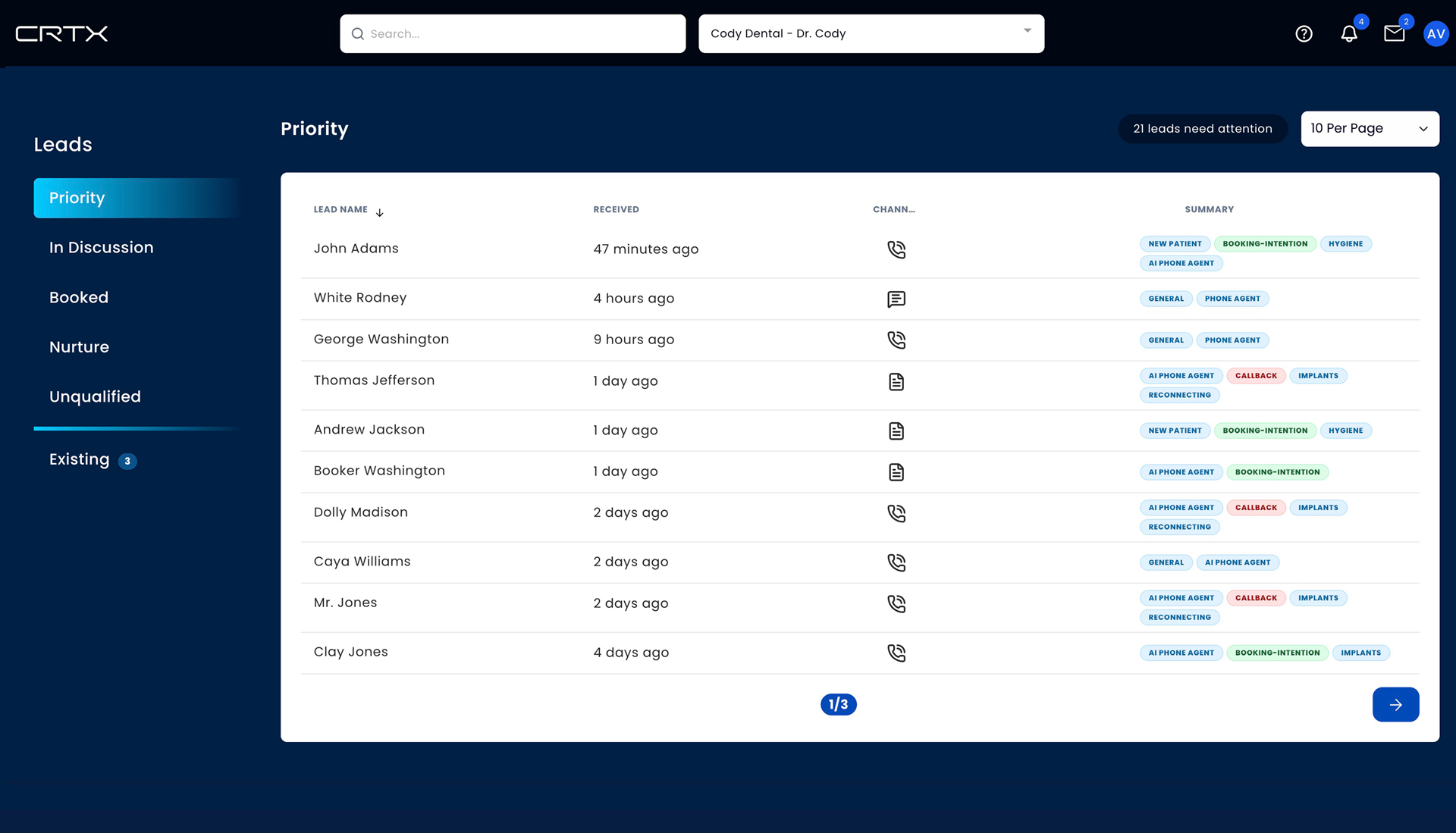
Focus only on leads that requested a callback, a reschedule, or a human conversation. Scan your pipeline in seconds with sophisticated “Proof Badges” that tell you exactly why a lead is hot.
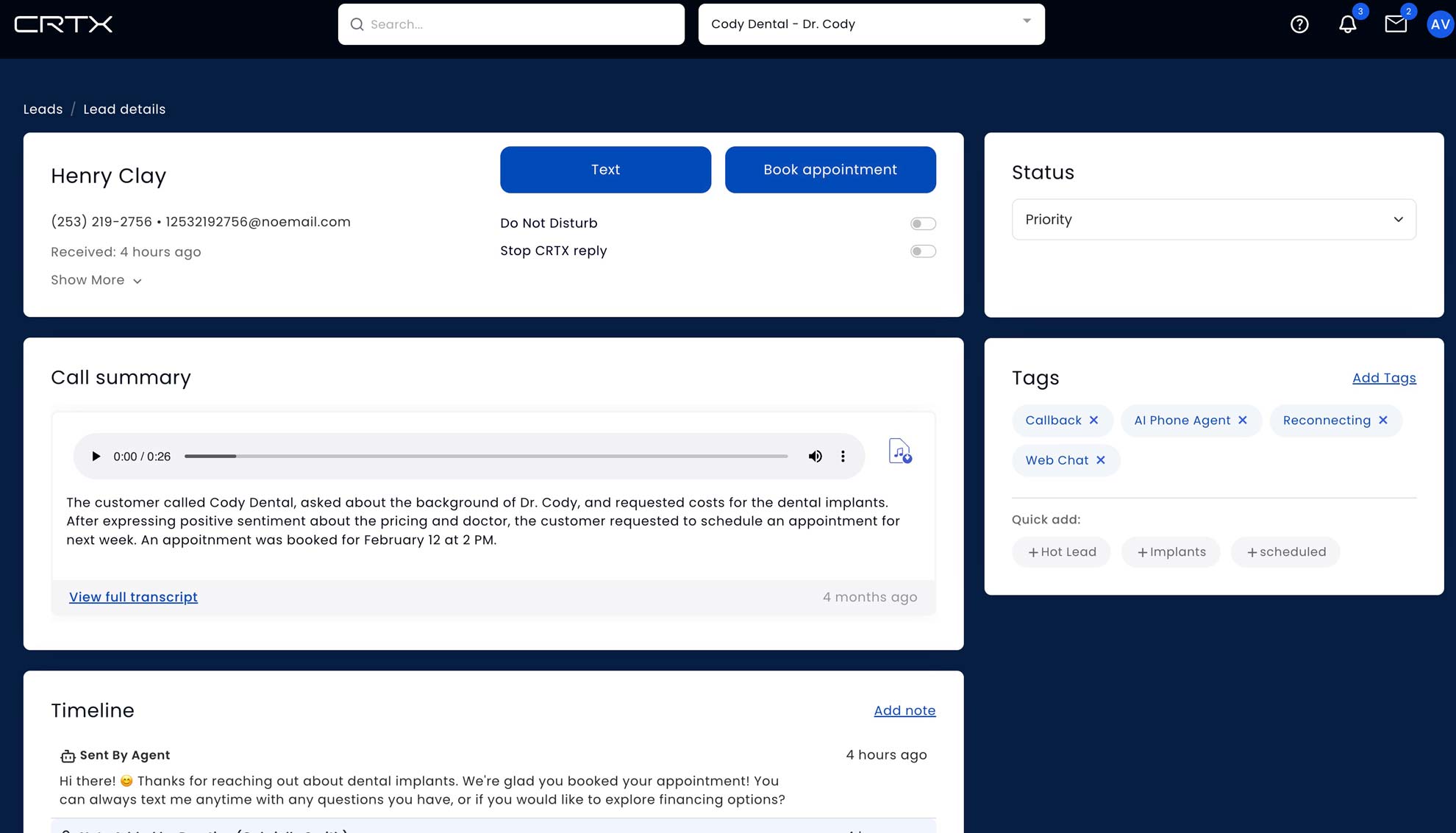
Text, Book, or Reschedule from a fixed header. Use the Stop CRTX Reply toggle to instantly take the wheel from the AI when you're ready to close the deal personally.
How we turn cold traffic into warm handshakes.
Facebook, Google, or Website leads hit the system instantly.
The AI detects human response needed, stops replying, and moves Sarah to your Priority Feed.
Complete these 4 tasks to master the 2026 infrastructure.
Learn to clear the list to zero every day. If it's not in Priority, the AI has it under control.
The Blue Dot indicates real-time activity. Handle high-intent leads in 60 seconds or less.
Update the stage (e.g., “Nurture”) and watch the dashboard clean itself automatically.
Go to Account Settings and use "Send Test Alert" to ensure your phone is synced.
Join us for the live walkthrough of the new architecture.